E-way bills
Generate e-way bills from your invoices in one click
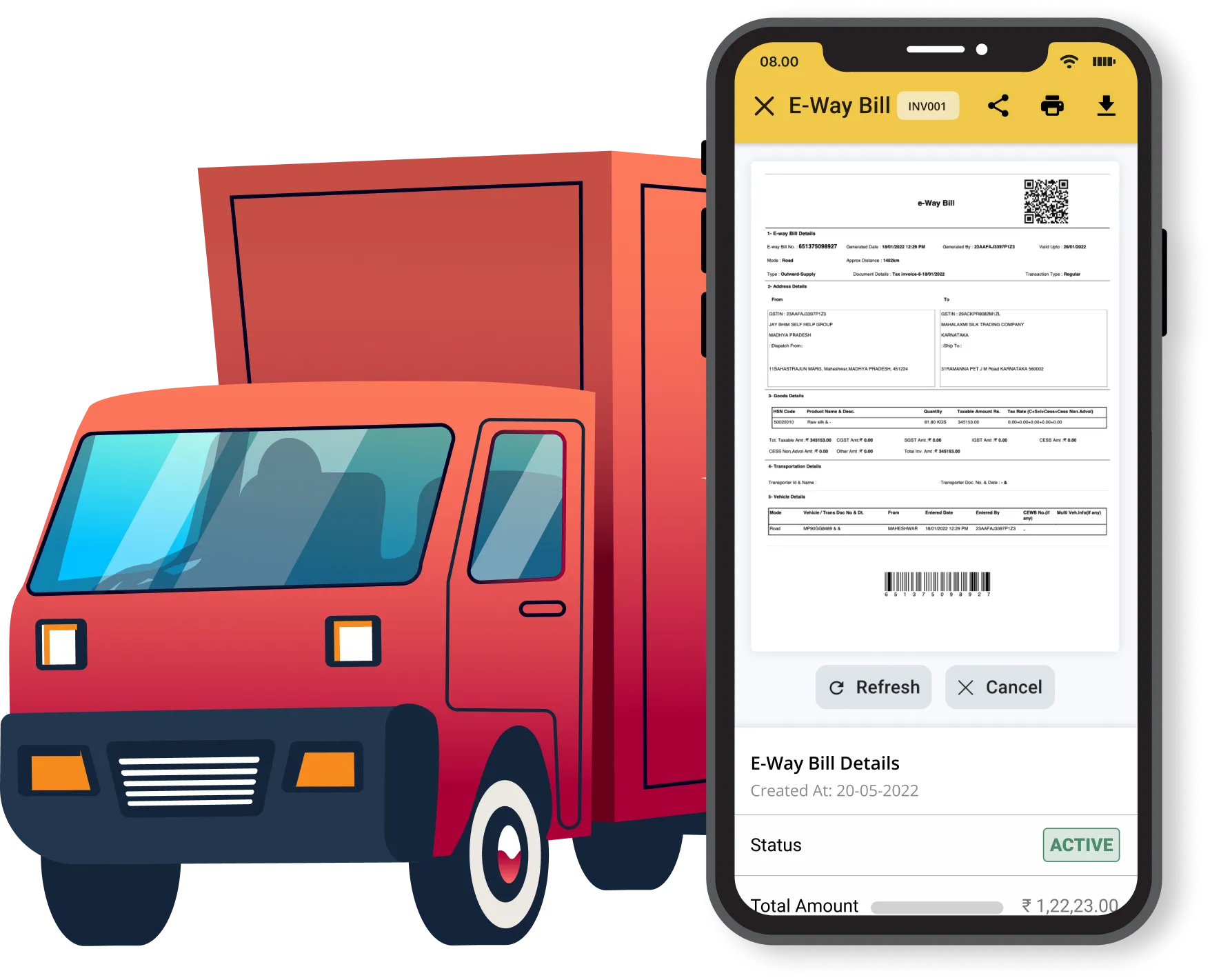
GimBooks fills Part A of the e-way bill from your invoice, delivery challan, purchase or note, works out the distance from the PIN codes and gets the e-way bill number from the government portal. Update the vehicle, extend the validity or cancel it from the same screen.


- 10 Lakh+ e-way bills generated
- Android, iPhone and web
- 7-day free trial
GimBooks in numbers
Indian businesses bill on GimBooks every day
- App downloads
- 50 Lakh+
- Invoices created
- 2 Crore+
- E-way bills generated
- 10 Lakh+
- GST returns filed
- 10,000 +
- Backed by
- Backed by
- Recognised by

From any document
From the invoice to the e-way bill in one click
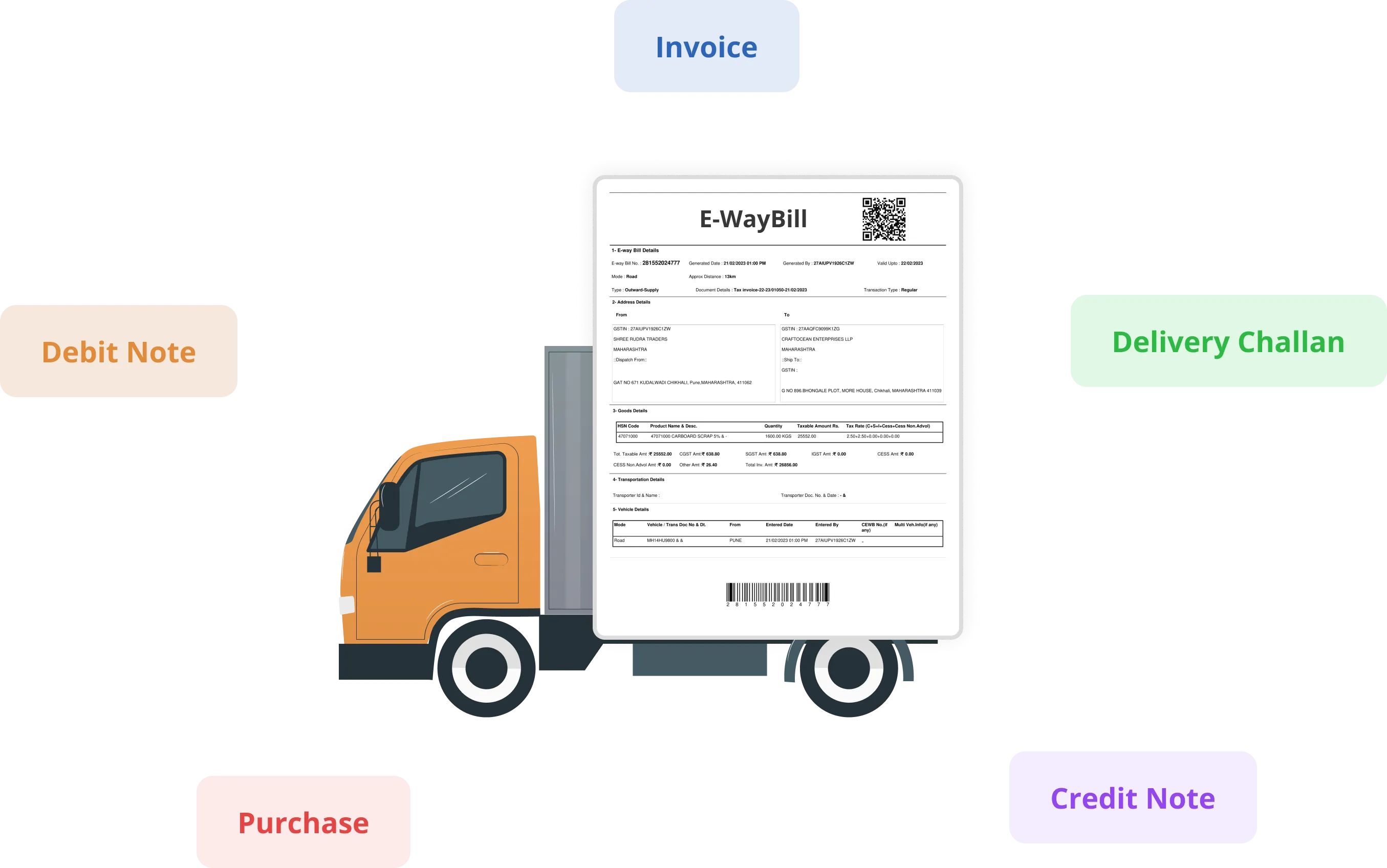
Open an invoice, delivery challan, purchase, credit note or debit note and tap E-Way Bill. The parties, items, HSN codes and values come from the document, so you only add the transport details.
- Invoices, delivery challans and purchases
- Credit notes and debit notes
- Details checked before they reach the portal
On the road
Vehicle changed? Update Part B in seconds
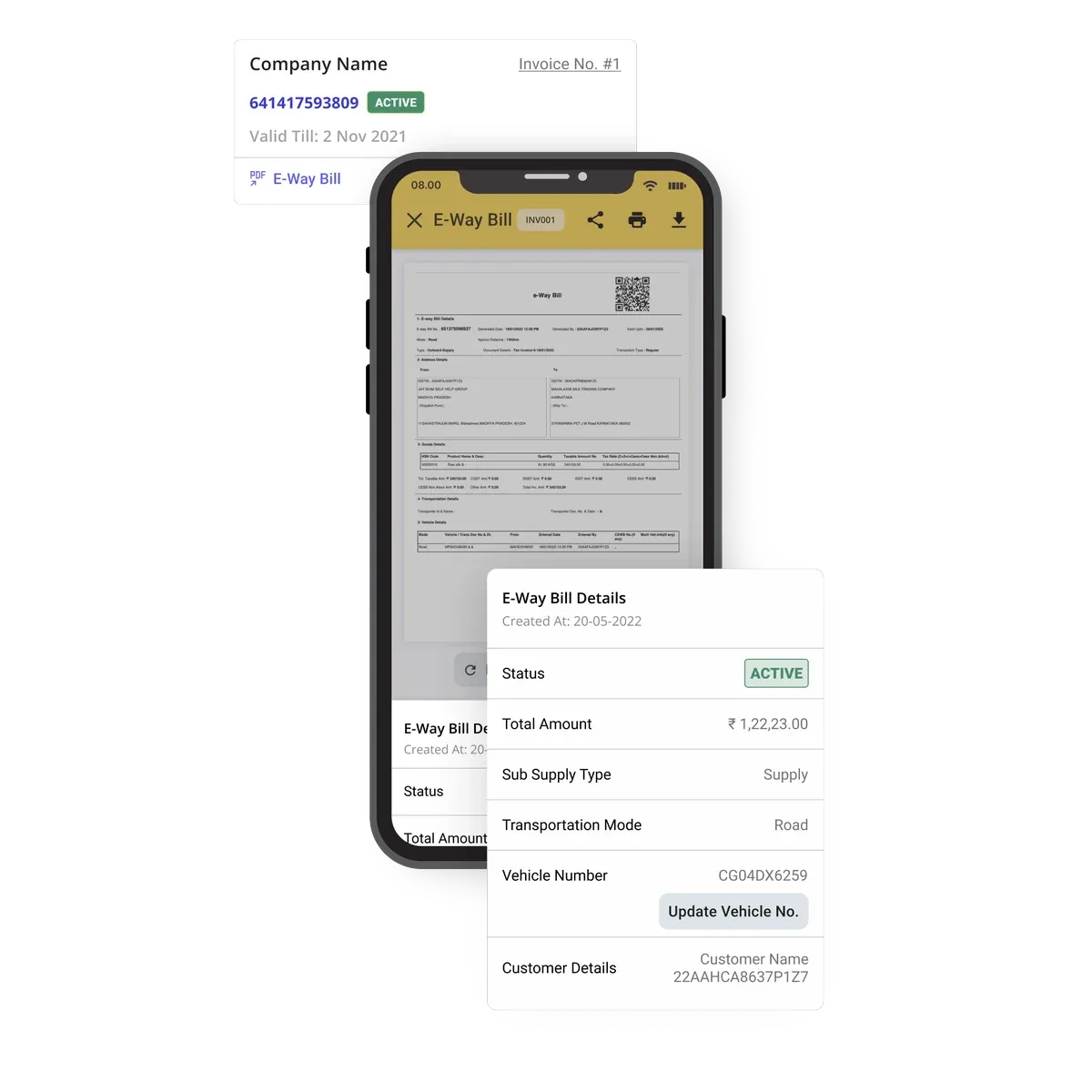
Goods often change trucks on the way. Update the vehicle number and transport details of an active e-way bill from your phone, and extend its validity when a delivery runs late. Made a mistake? Cancel the e-way bill within 24 hours of making it.
- Update the vehicle number and transporter
- Extend validity when goods are delayed
- Cancel within 24 hours, with a reason
Records
Every e-way bill, ready to print or share
Active, cancelled and expired e-way bills sit in one list with their validity. Download the PDF, print it for the driver, email it, or download several at once.
- Active, cancelled and expired in one list
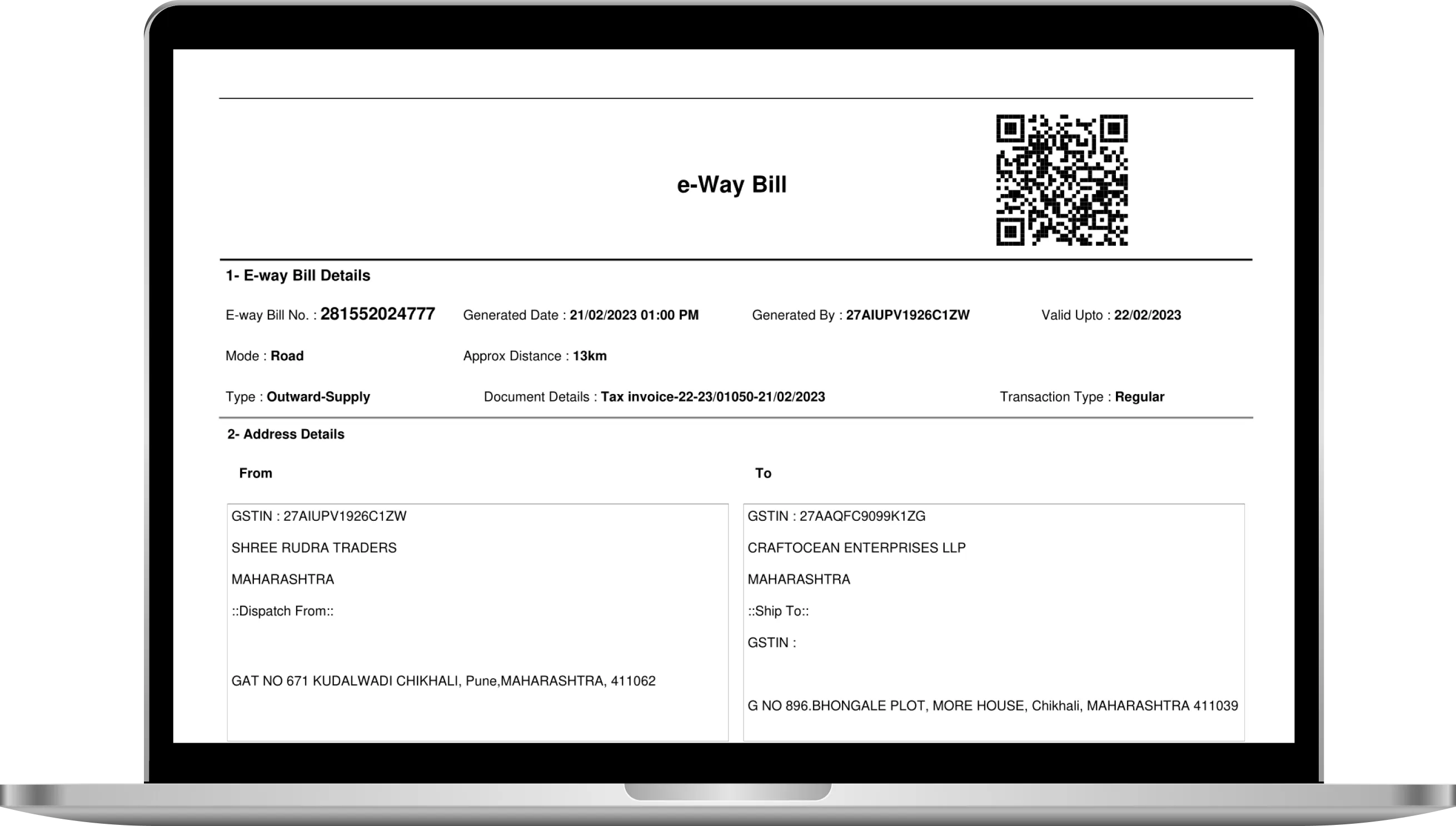
- PDF with the QR code and barcode
- Bulk download and email
Why GimBooks for e-way bills
Less typing at the dispatch counter
-
Link the portal once
Connect your e-way bill portal account to GimBooks with an OTP, then generate e-way bills from the app.
-
Distance worked out
The distance between the two PIN codes is filled in for you. It decides how long the e-way bill is valid.
-
Fewer rejections
GimBooks checks the e-way bill details before it sends them, so mistakes are caught before the portal turns them down.
-
Unlimited or pay as you go
The E-Way Bill and Enterprise plans include unlimited e-way bills. On other plans, buy credits that never expire.
-
Phone and computer
An e-way bill made in the app is on the web dashboard too, so the office and the godown see the same list.
-
Help on call and WhatsApp
Questions about an e-way bill? Our support team helps on call and WhatsApp.
How it works
How to generate an e-way bill in GimBooks
- 01
Link the portal
Connect your e-way bill portal account to GimBooks. You do this once.
- 02
Open the document
Open the invoice, delivery challan, purchase or note and tap E-Way Bill.
- 03
Add the transport
Choose road, rail, air or ship, add the vehicle number or transporter ID, and check the summary.
- 04
Generate and share
Tap Generate, then share the PDF with your transporter or print it for the driver.
What business owners say
-
“This GimBooks thing for E-way bills is very easy to use! No more filling long forms by hand, I just put in the details on my phone and it's done. Saves a lot of time at checkpoints!”
AK Ashok Kumar Transporter -
“I no more struggle with bad handwriting or forgetting papers. GimBooks lets me generate E-way bills for all my consignments right from my phone. So helpful!”
SD Sumit Dev Distributor -
“It helps with quick vehicle number editing. This app makes E-way bills quick to generate and easy to use. No more stress, no more confusion, just quick and easy document creation. Thank you, GimBooks!”
AS Amrish Sahu Trader
E-way bill format and related features
- Free format
E-way bill format
See what an e-way bill contains, part by part.
Get the format - Guide
Delivery challans
Send goods on a challan and make the e-way bill from it.
Read more - Guide
E-invoicing
Get the IRN first if your turnover means you must e-invoice.
Read more - Plans
Plans and pricing
Unlimited e-way bills come with the E-Way Bill and Enterprise plans.
See pricing
FAQ
E-way bill questions, answered
These answers follow Rule 138 of the CGST Rules as of 26 November 2026. Rules change, so check the e-way bill portal or your tax adviser for your case.
What is an e-way bill?
An e-way bill is an electronic document, generated on the government’s e-way bill portal, that travels with goods while they move. Part A has the invoice or challan, the supplier and recipient, the goods, their HSN codes and value. Part B has the vehicle or transport details. Each e-way bill gets a 12-digit number.
When do I need an e-way bill?
When goods worth more than ₹50,000 in one consignment (the value on the invoice or challan, including GST) move by a motorised vehicle, whether for a sale, a return, job work or another reason. Some states set a different limit for movement within the state. Goods sent to a job worker in another state, and handicraft goods moved to another state by a dealer exempt from registration, need one whatever their value. The portal only accepts documents dated within the last 180 days.
Who generates the e-way bill?
The registered person who causes the movement, as the supplier or the recipient, generates it before the goods move. If neither has, the transporter does. When an unregistered supplier sends goods to a registered recipient, the recipient generates it. Transporters who are not registered under GST enrol on the e-way bill portal to get a transporter ID.
How long is an e-way bill valid?
For normal cargo, one day for every 200 km or part of it: up to 200 km is one day, 201 to 400 km is two days, and so on. Over-dimensional cargo, and multimodal shipments that include a ship, get one day for every 20 km. Validity is counted from when the vehicle details (Part B) are first entered, and each day ends at midnight of the following day.
Can I extend an e-way bill?
Yes, when the goods cannot reach in time for a reason such as a breakdown, an accident or a delay in transshipment. The person who generated it, or the transporter carrying the goods, can extend it from 8 hours before to 8 hours after it expires, giving the reason, the current place and the distance left. In GimBooks, open the e-way bill and choose Extend validity.
When can the vehicle details (Part B) be skipped?
When goods move up to 50 km within the same state, from the supplier’s place of business to the transporter’s, or from the transporter’s place to the recipient’s. Part A is still filed, so this is not an exemption from the e-way bill itself.
When is an e-way bill not needed?
Rule 138(14) lists the exceptions. Among them: goods moved by a non-motorised conveyance such as a handcart; goods moved from a port, airport, air cargo complex or land customs station to an inland container depot or container freight station for customs clearance; goods under customs supervision or seal; goods exempt from GST, and goods in the rule’s annexure such as household LPG, kerosene sold under PDS, postal baggage, jewellery, currency and used personal effects; alcoholic liquor, petroleum crude, diesel, petrol, natural gas and aviation turbine fuel; transit cargo to or from Nepal or Bhutan; empty cargo containers; and goods moved up to 20 km to a weighbridge and back under a delivery challan.
How do I cancel an e-way bill?
An e-way bill can be cancelled within 24 hours of generating it, as long as an officer has not verified it on the way. In GimBooks, open the e-way bill, tap Cancel and pick the reason. After 24 hours it cannot be cancelled.
Can the other party reject an e-way bill?
Yes. The other party to the transaction can accept or reject an e-way bill made in their name within 72 hours of its details being made available to them, or before the goods are delivered, whichever is earlier. If they do neither, it is treated as accepted.
Do I need e-invoicing to generate an e-way bill?
Not unless e-invoicing applies to you. Any business moving goods can generate an e-way bill from its invoice or challan. E-invoicing applies to businesses with an aggregate turnover above ₹5 crore; if you are one of them, generate the e-invoice (IRN) for a business-to-business invoice first, then the e-way bill.
How do I generate an e-way bill in GimBooks?
Link your e-way bill portal account once. Then open the invoice, delivery challan, purchase, credit note or debit note, tap E-Way Bill, add the transport mode and vehicle number or transporter ID, check the summary and tap Generate. The e-way bill number and PDF appear on the document.
How many e-way bills can I generate with GimBooks?
Unlimited with the E-Way Bill and Enterprise plans. On the Premium and E-Invoice plans each e-way bill uses a credit; credit packs never expire and are listed on the pricing page.
Explore more GimBooks features
Every document is GST-ready and linked to the next, so nothing is typed twice.
- Invoicing GST and non-GST invoices with your logo, made in seconds and shared in a tap.
- E-invoicing Get the IRN and signed QR code for any invoice in one click.
- Inventory Stock updates itself with every sale and purchase.
- Quotations Send quotes, convert to invoices
- Proforma invoices Turn into a tax invoice in a tap
- Purchases Purchase bills, POs and vendors
- Delivery challans Original, duplicate and triplicate
- Credit notes Sales returns and corrections
- Debit notes Purchase returns and adjustments
- Payment receipts Record payments, share receipts
- Ledgers Party, cash and bank ledgers
- GSTR filing File GSTR-1 and 3B from the app
- Expenses Track spend by category
Generate your next e-way bill with GimBooks
Invoices, e-way bills and GST returns in one app. Every plan starts with a 7-day free trial.